
Templates
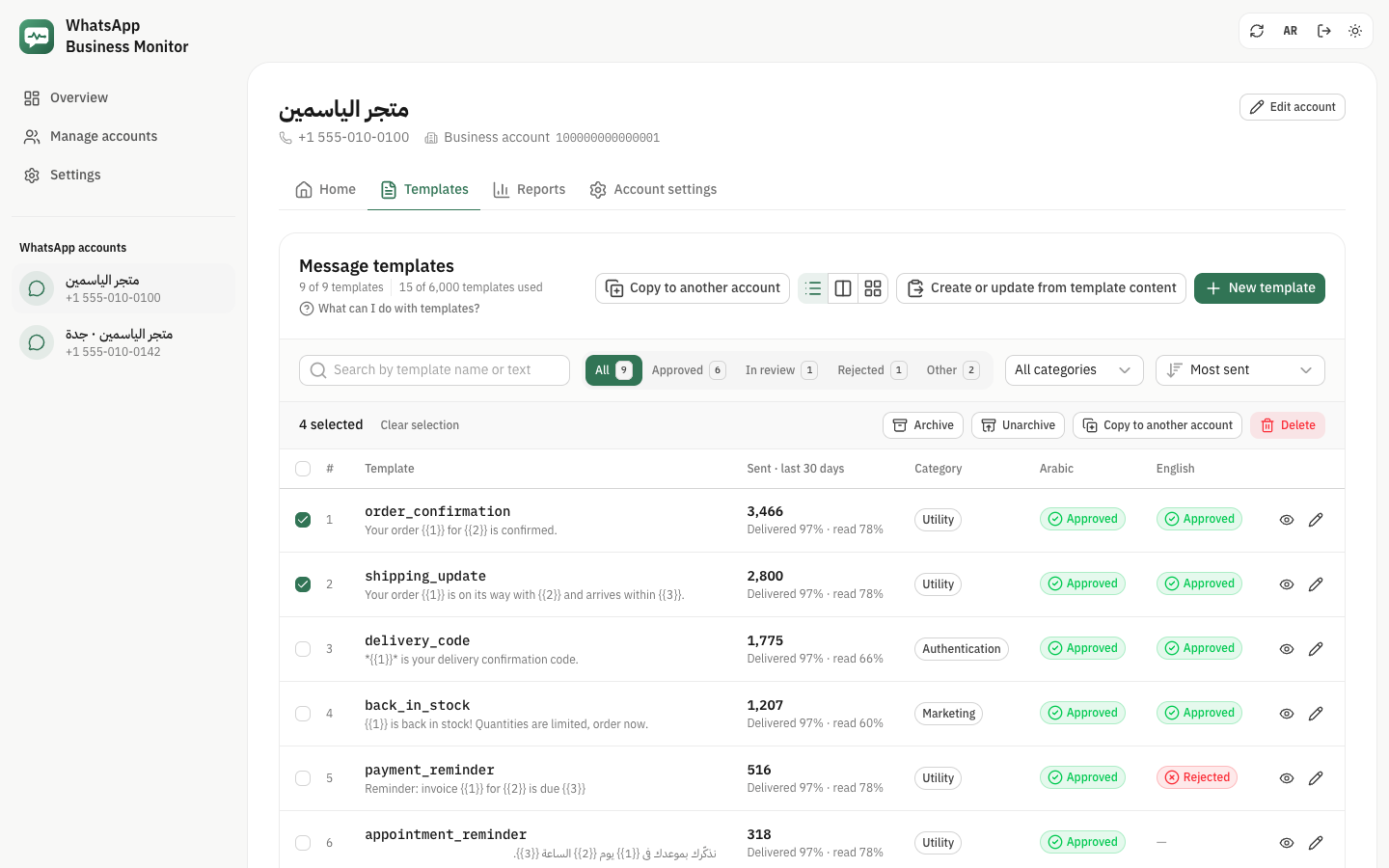
Open an account and choose "Templates". The table shows 25 templates a page, numbered, with a search, filters and sorting. Besides creating and editing them, you can delete, archive, unpause and copy them, alone or several at once. Every change asks you to confirm first and says what Meta does with it.
How many templates you have left
Under the title the page shows how many templates the account has and how many Meta allows: 250 when the business is not verified, 6,000 when it is. Each language of a template counts as one.
Acting on several templates
Tick templates in the table to archive, unarchive, copy or delete them together. Ticking a name includes every language of it, and the box in the header ticks the page you see.
- Meta takes up to 100 templates in one delete or archive, and up to 500 in one copy.
- When Meta refuses some of them, the page lists which ones and why.
Deleting
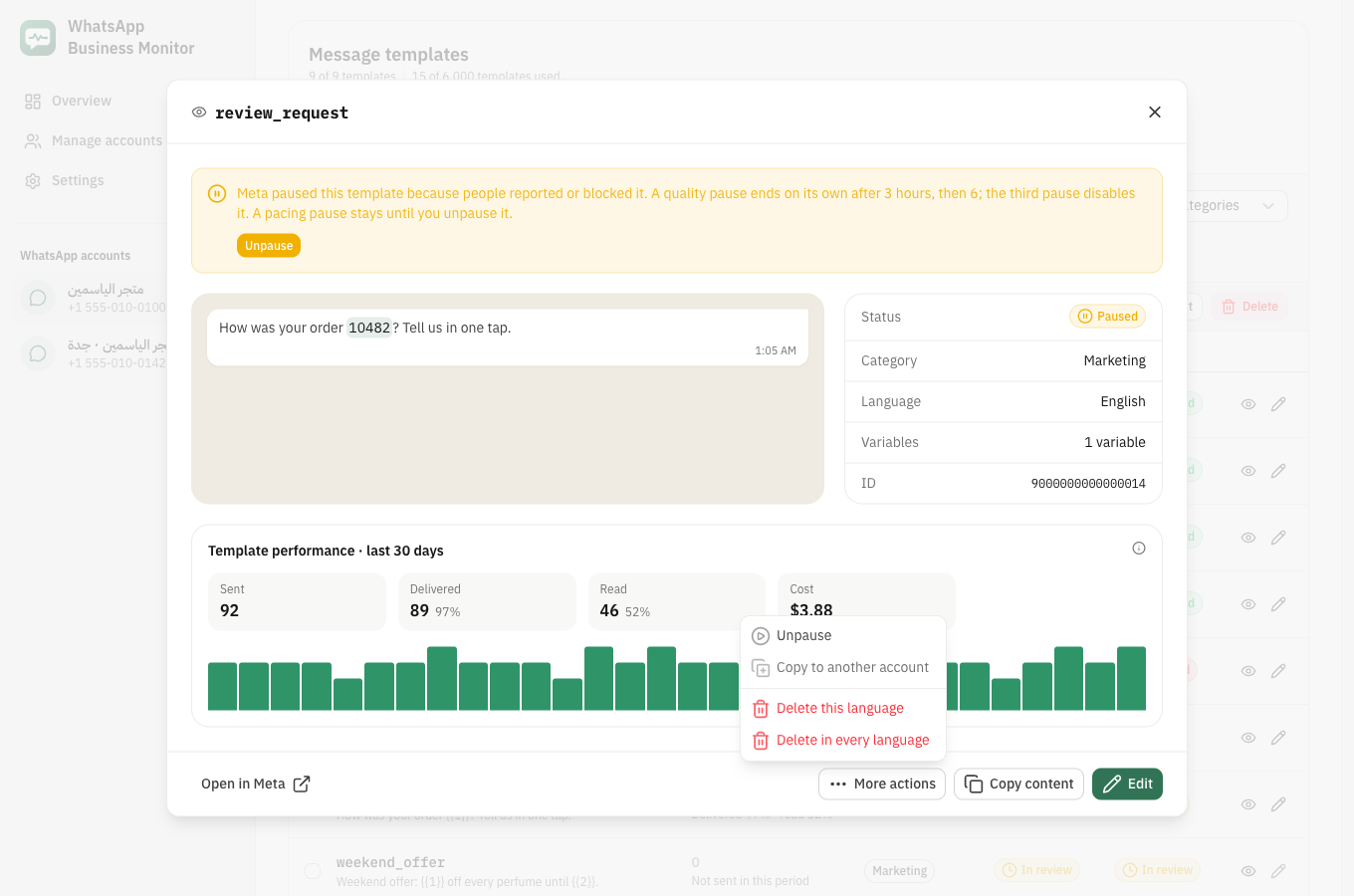
From a template's "More actions" menu, delete the language you are looking at or every language of the name. This can't be undone.
- The name can't be used for a new template for 30 days.
- Disabled templates can't be deleted. In a bulk delete, one disabled template makes Meta delete none, so the page stops before sending.
- A template with messages still being delivered shows "Being deleted" for up to 30 days.
Archiving
An archived template stays in the list with the "Archived" status but can't be sent. Unarchive it to put it back in the status it had.
- Only approved or rejected templates can be archived.
- Meta archives a template unused for 12 months on its own, and deletes it 28 days later unless you unarchive it.
Unpausing
Meta pauses a template when people report or block it. The template's window explains why and has an "Unpause" button.
- A quality pause lasts 3 hours the first time and 6 hours the second; the third time the template is disabled.
- A template paused by pacing stays paused until someone unpauses it.
Copying to another account
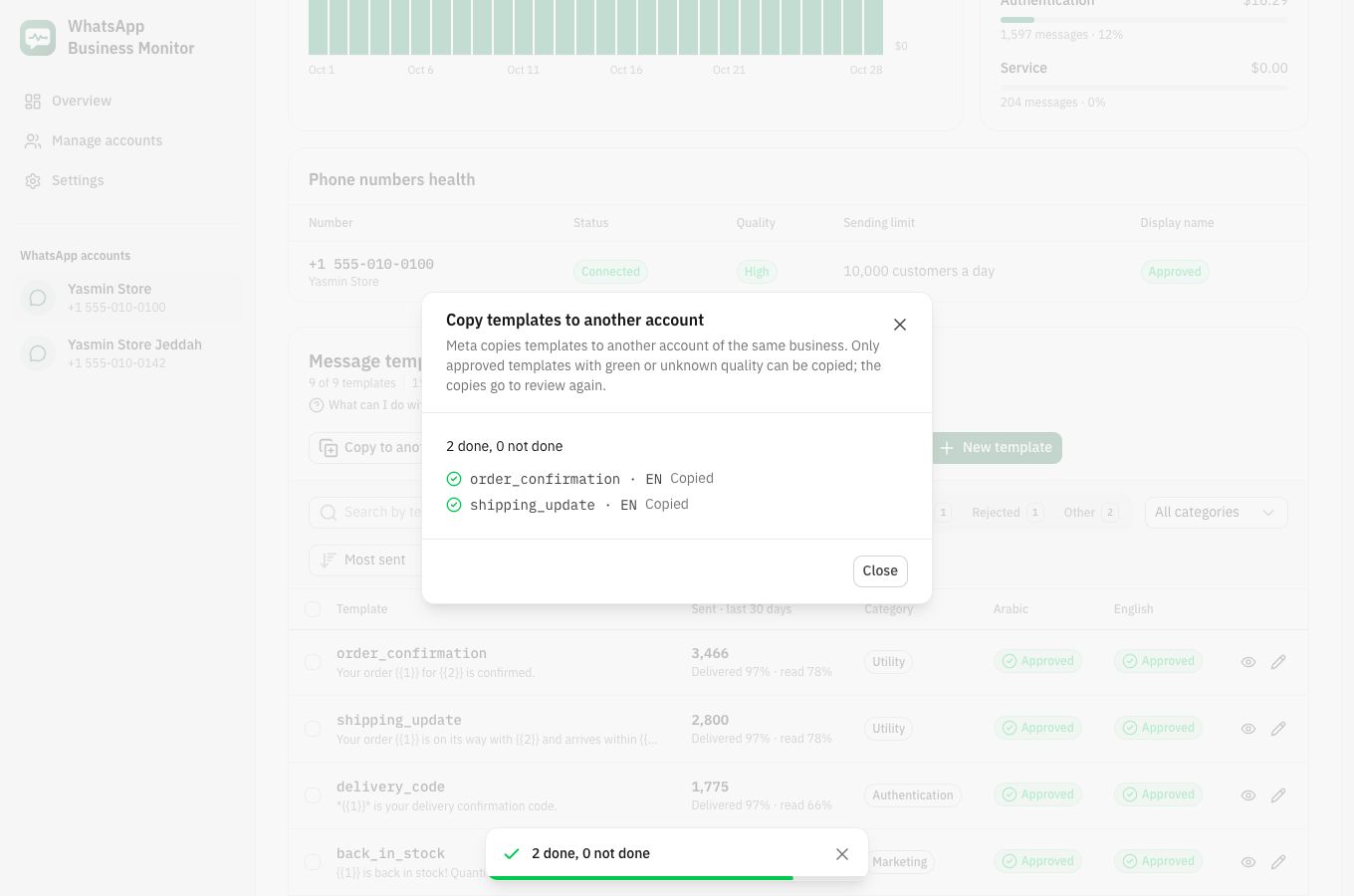
"Copy to another account" asks Meta to copy templates to another saved account of the same business. Choose the account and the templates, then see which ones were copied and which were not, with Meta's reason.
- Only approved templates with green or unknown quality can be copied.
- The copies are new templates in the other account and go through review there.
Meta's limits at a glance
- Templates per account
- 250 on an unverified business, 6,000 on a verified one; every language counts
- Delete
- a deleted name can't be used again for 30 days; disabled templates can't be deleted; up to 100 at a time
- Archive
- approved or rejected templates only; up to 100 at a time
- Auto-archive
- after 12 months unused; deleted 28 days later unless unarchived
- Pause
- 3 hours the first time, 6 hours the second; the third time the template is disabled
- Copy
- same business only; approved templates with green or unknown quality; up to 500 at a time