
Accounts & numbers
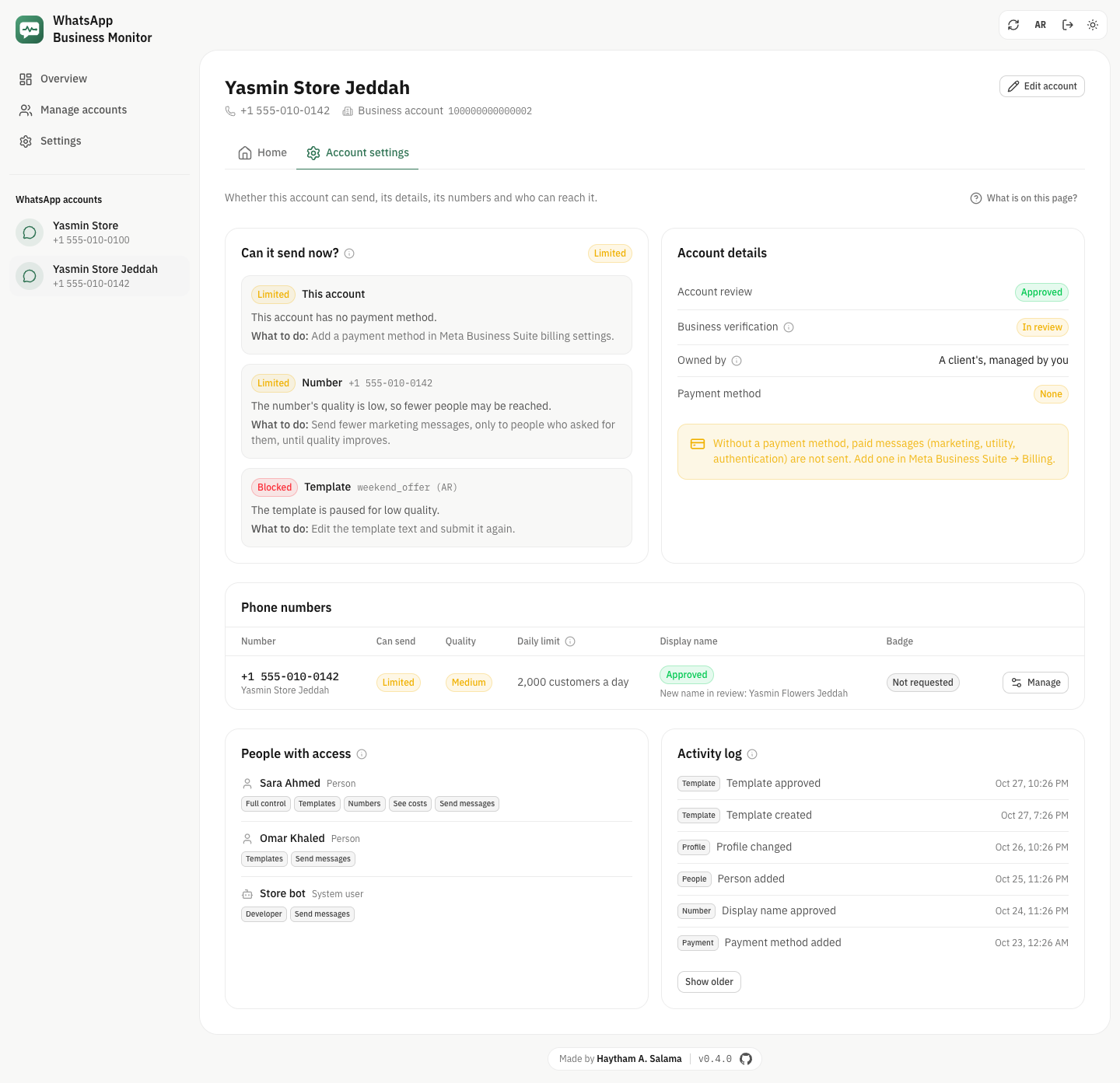
Open an account and pick "Account settings". It answers three questions: can this account send right now, what is set up, and who can reach it. Every change asks you to confirm first and shows Meta's limit.
Can it send now?
Before a message goes out, Meta checks the app, the business, the account, the number and the template. This card shows the result in one word (Can send, Limited or Blocked) and, for each problem, Meta's reason and what to do about it.
Account details
Account review, business verification, who owns the account, and whether a payment method is added.
- No payment method means paid messages (marketing, utility, authentication) are not sent. Add one in Meta Business Suite → Billing.
- A verified business gets a higher messaging limit and can ask for the green badge.
Phone numbers
Each number with whether it can send, its quality, its daily limit (how many different customers you can start a conversation with in 24 hours), its display name, a new name waiting for review, and its badge. "Manage" opens the number's settings.
People with access and the activity log
Who can open the account and what each person or system user may do, and a list of what changed and when: templates, numbers, people, payment. Meta keeps the log; "Show older" loads more.
Profile
What customers see when they open your business in WhatsApp: photo, about line, description, address, email, up to two websites and the business type. The photo is uploaded to Meta first and then set on the profile.
Display name, username and green badge
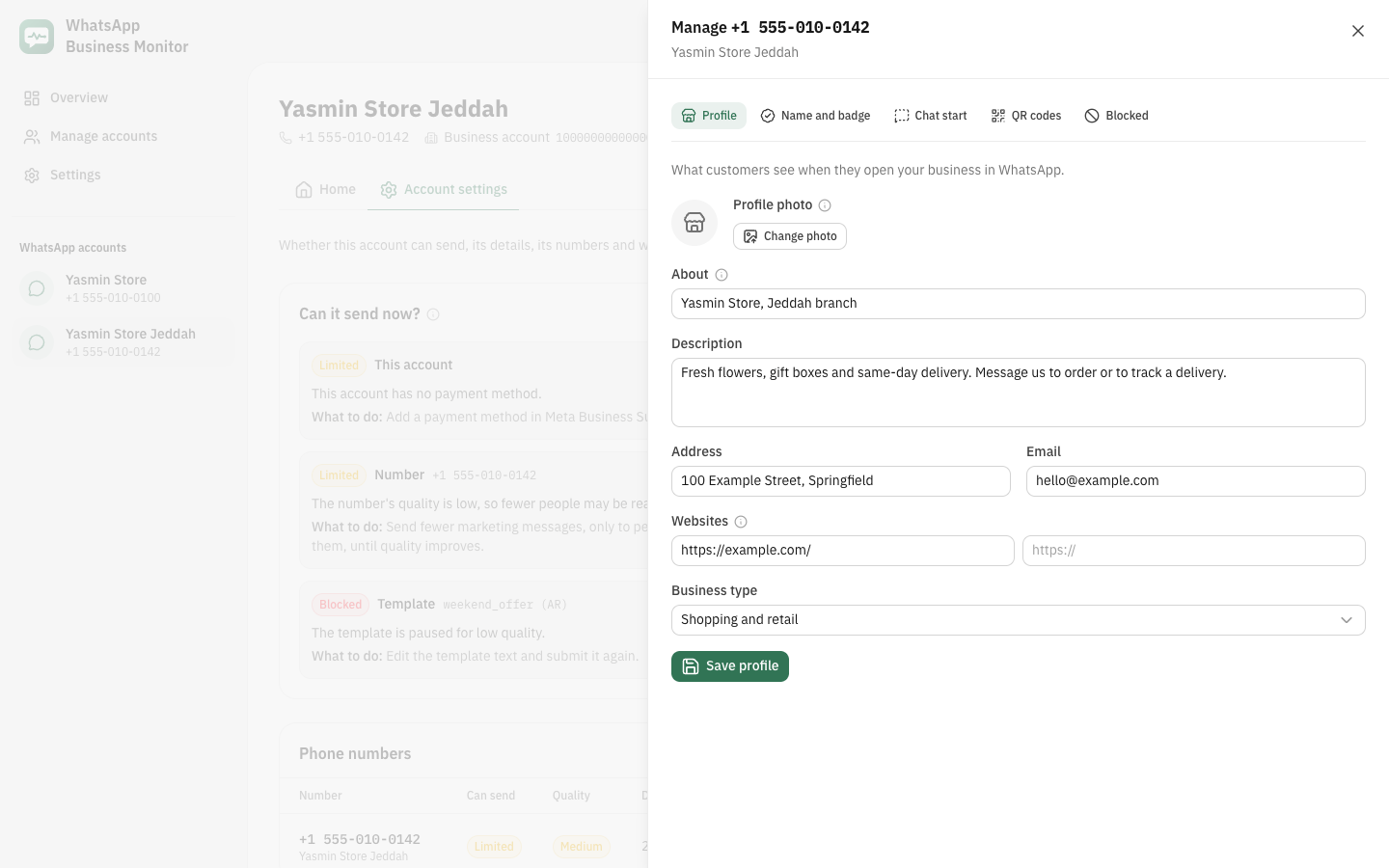
Ask Meta to review a new display name, pick a username customers can search for, and see or request the green badge (Official Business Account).
- The badge needs a verified business, 30 days on the platform, two-step verification, an approved name and 5 to 10 links from known news sites.
- The page lists these before you send the request.
Chat start
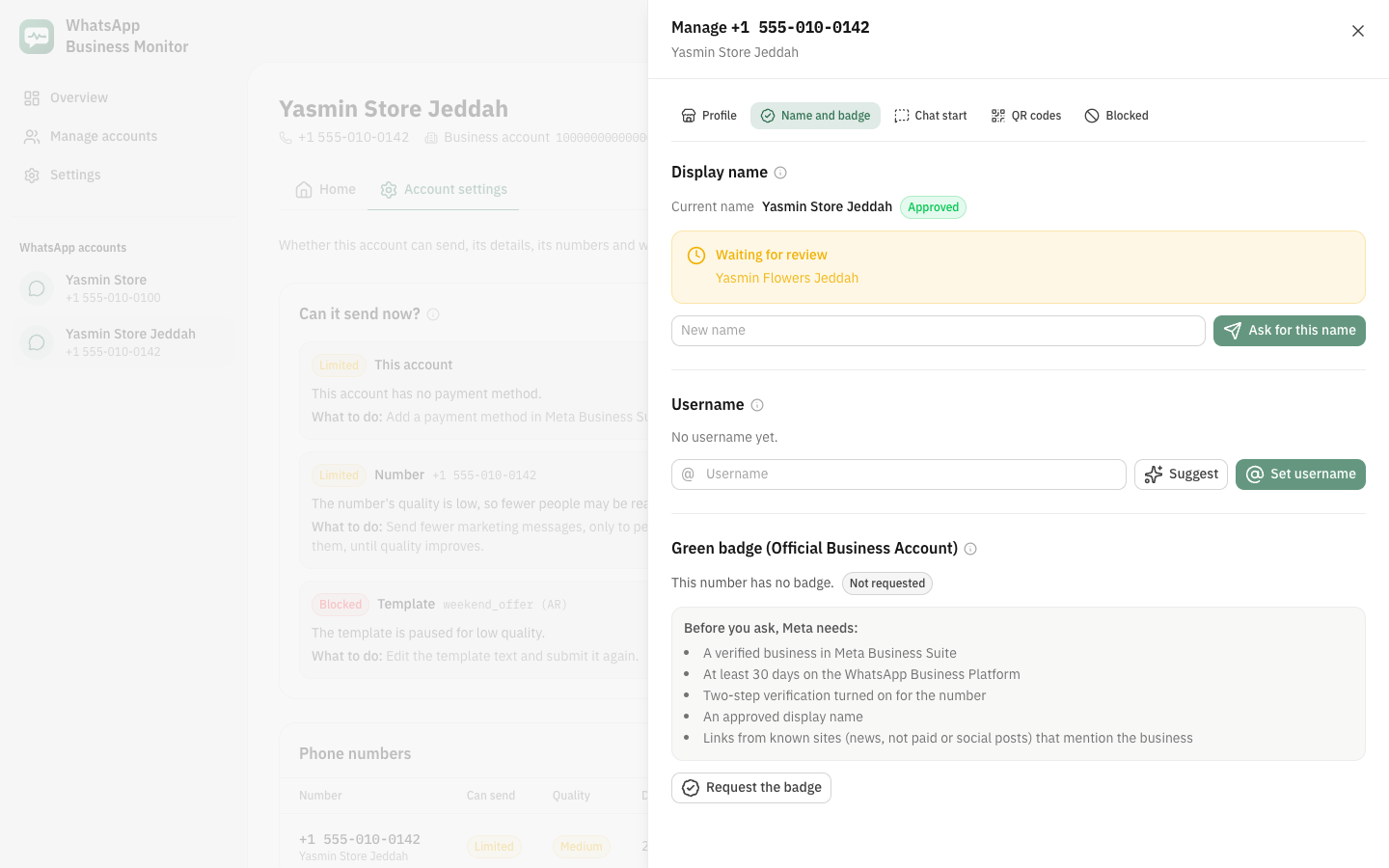
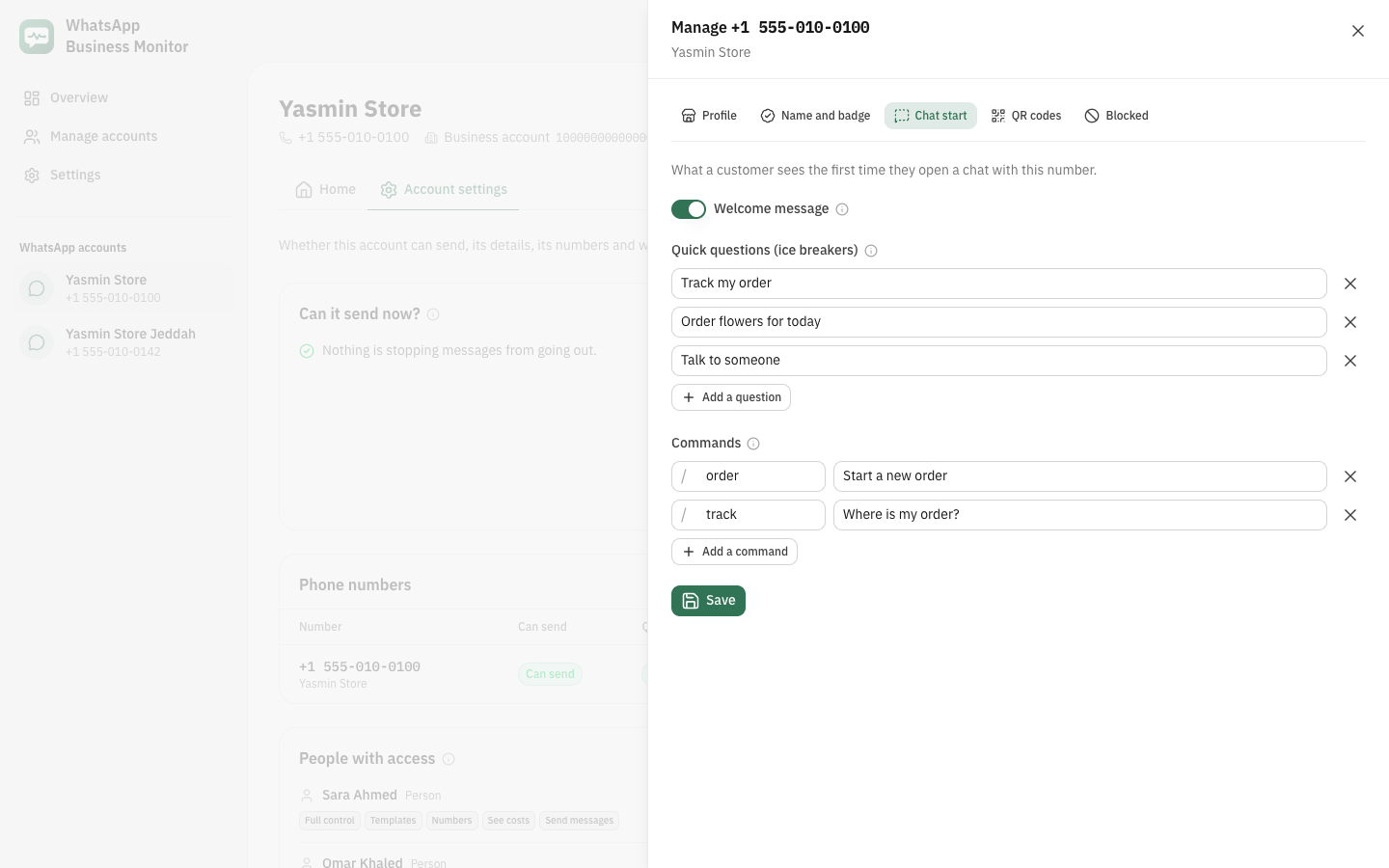
Quick questions a customer can tap to start a chat, commands that appear when they type /, and the welcome message switch.
QR codes and short links
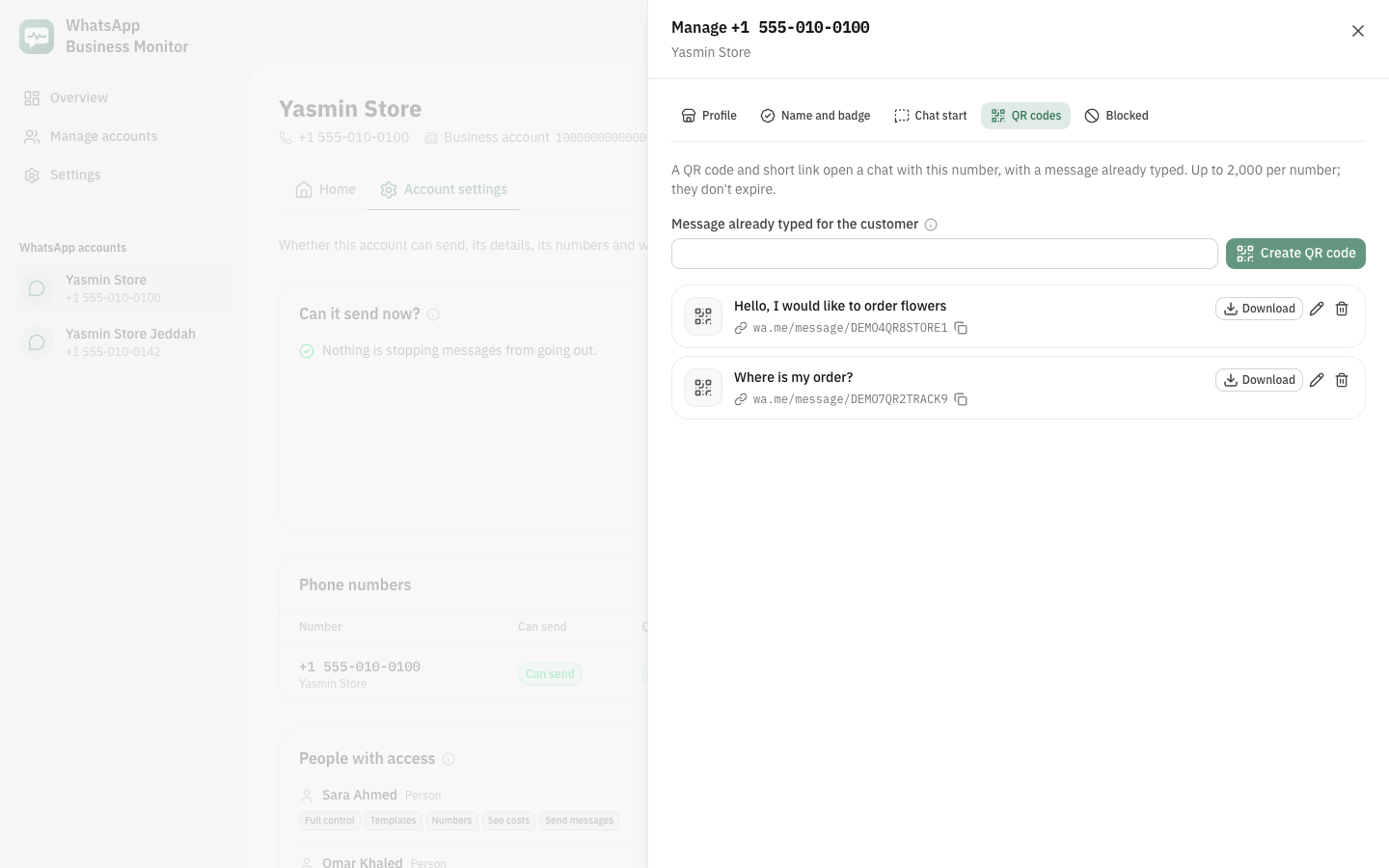
Create a QR code and a wa.me link that open a chat with a message already typed. Change the message later, copy the link, download the image as PNG or SVG, or delete it. Printed codes keep working after you change the message, and stop when you delete it.
Blocked people
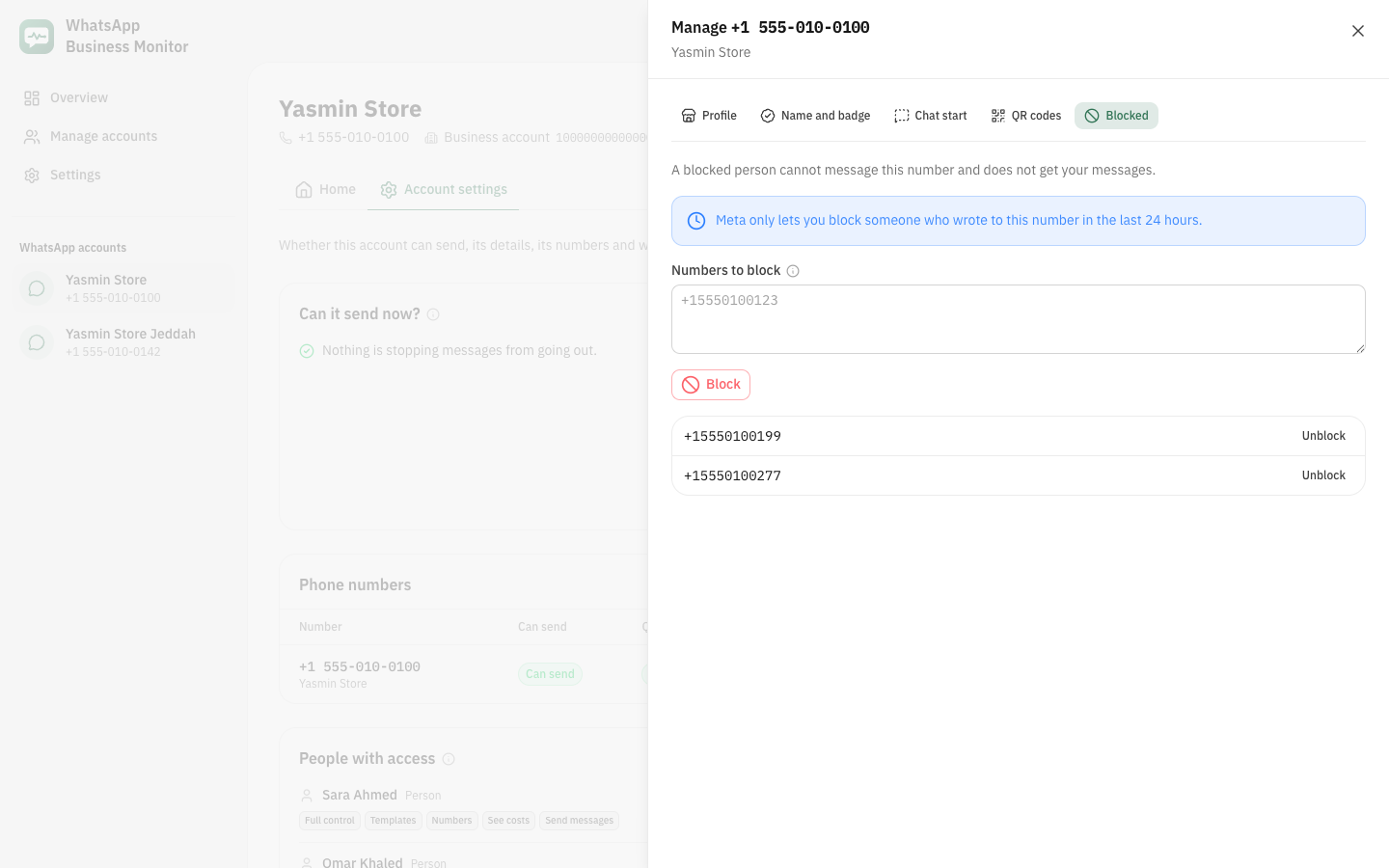
See who is blocked, block numbers, and unblock them. Meta only lets you block someone who wrote to this number in the last 24 hours; anyone else is listed with that reason.
Meta's limits at a glance
- Display name
- 10 requests in 30 days; register the number again within 14 days of approval
- Username
- 2 changes in 14 days
- Green badge
- a refused request waits 30 days
- Quick questions
- up to 4, 80 characters each
- Commands
- up to 30; name 32 characters, hint 256
- QR codes
- up to 2,000 per number; message up to 140 characters
- Blocking
- only people who wrote in the last 24 hours; 1,000 at a time
- Profile photo
- JPEG or PNG, up to 5 MB